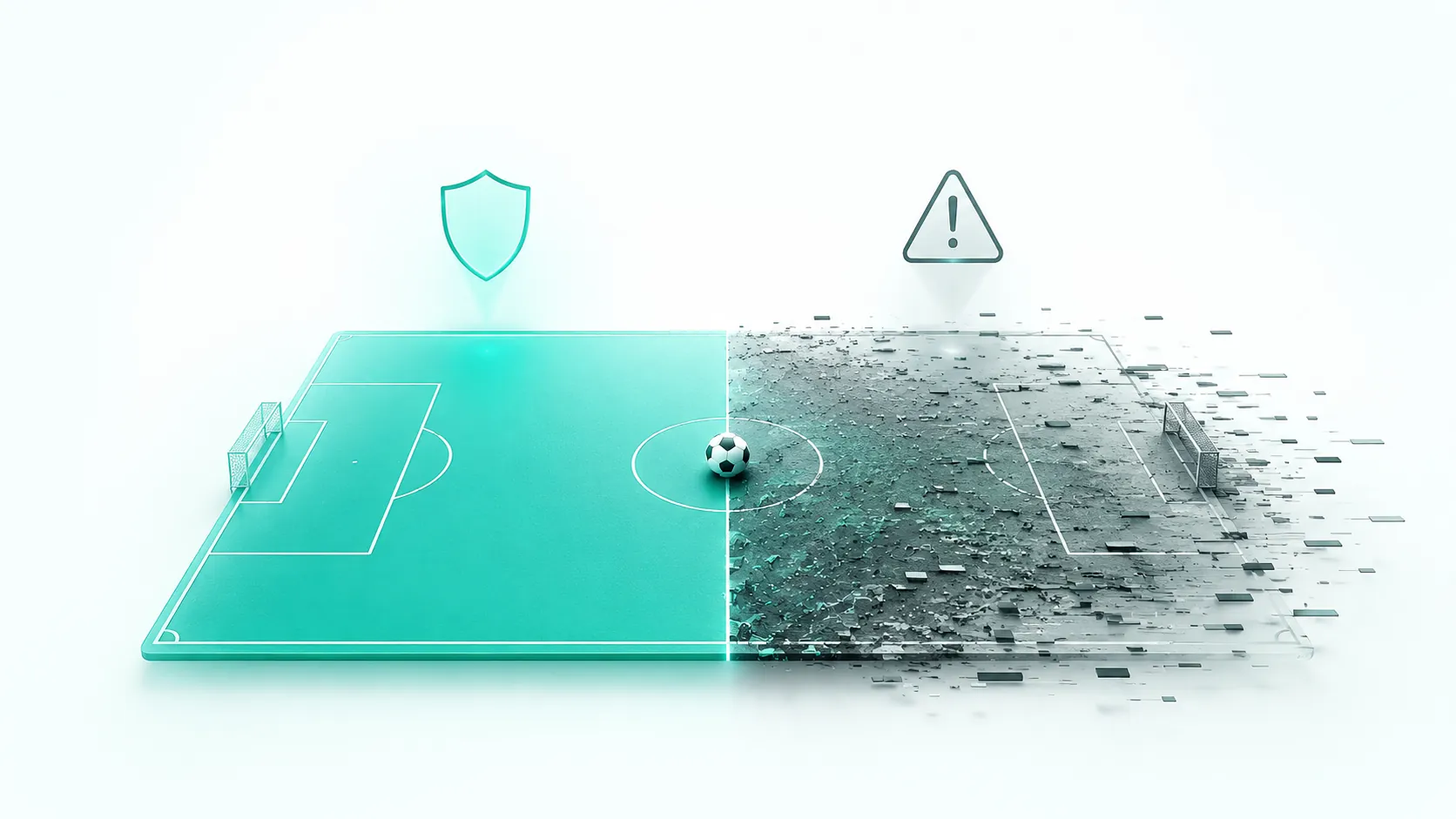
Kickoff is in ten minutes, your usual stream isn't loading, so you do what anyone would: search for another one. That's the exact moment scammers are waiting for.
Every World Cup match sends a wave of people searching for somewhere to watch online, often at the last minute. That scramble, when you're distracted, in a hurry, and not looking too closely, is the opportunity that fake streaming sites exploit. Some serve malware. Others copy a broadcaster's login page and grab your password the moment you type it.
What you need to know:
- Fake streaming sites usually make money from malware, ads, and stolen logins, not from showing football.
- Treat a site that demands a download, payment, or new account to watch a "free" match as suspicious.
- Pop-ups warning that your device is infected are usually fake and built to push software you should not install.
- Official broadcasters and their apps carry far lower risk than unlicensed streams, even when a free stream looks convincing.
- Type a broadcaster's address yourself, rather than clicking an ad or search result, to avoid lookalike domains.
- If you entered details on a fake site, change that password quickly to reduce the damage.
How can you tell if a World Cup streaming site is fake?
Most fake streaming sites give themselves away long before the match loads. Watch for how the page behaves and the address at the top of your browser.
Red flags to watch for
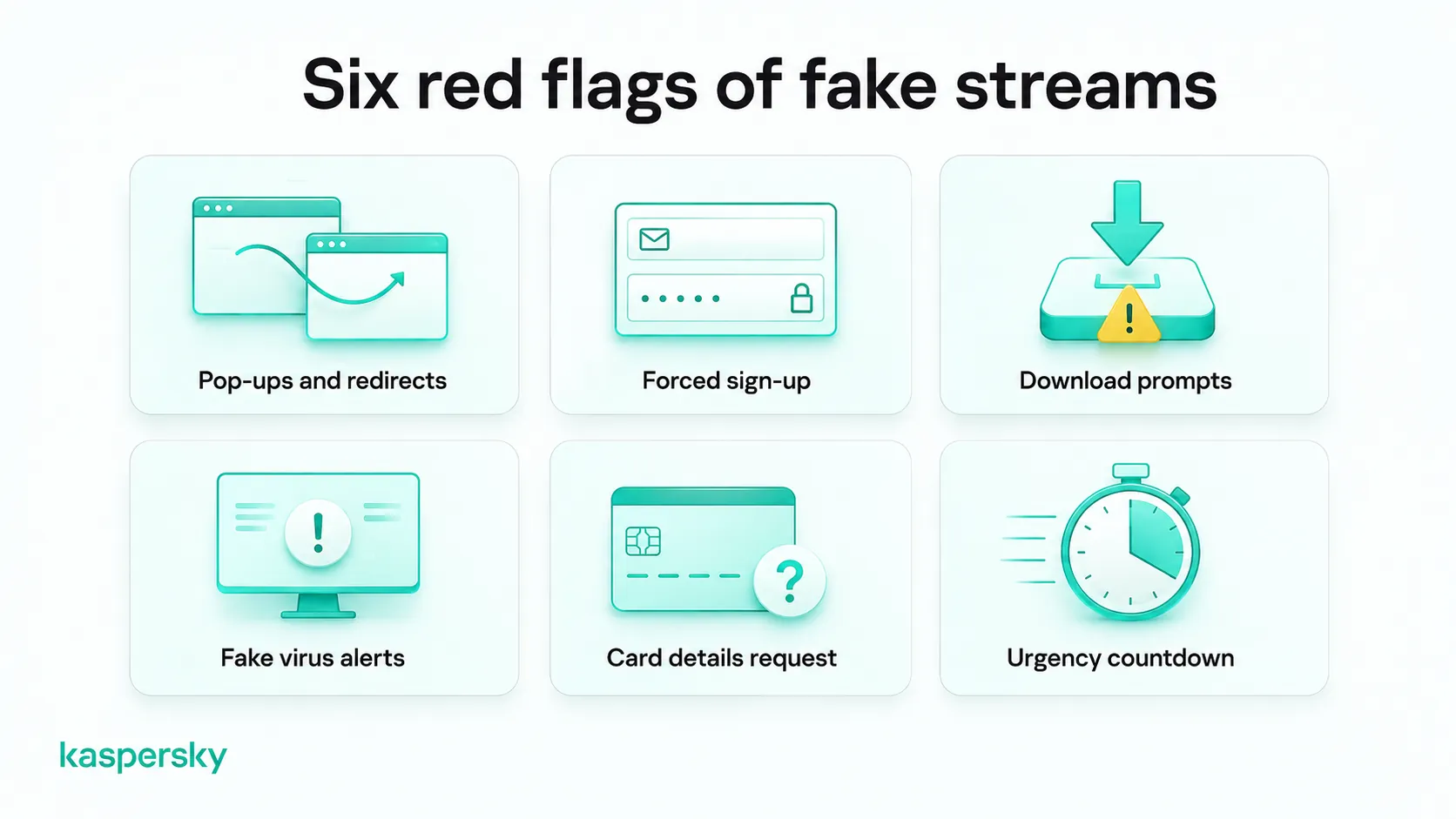
A genuine stream loads the game. A fake one usually puts obstacles in the way first, such as:
- Pop-ups and redirects that open new tabs or bounce you between pages before any video appears.
- A forced sign-up that asks for an email and password before it will "unlock" the match.
- Prompts to download a special player, codec, or app to watch.
- On-page warnings claiming your device has a problem.
- Requests for card details to reach a stream that was advertised as free.
- Urgency, such as countdowns or "only 2 streams left," meant to rush you into making a decision.
Suspicious URLs and fake domains
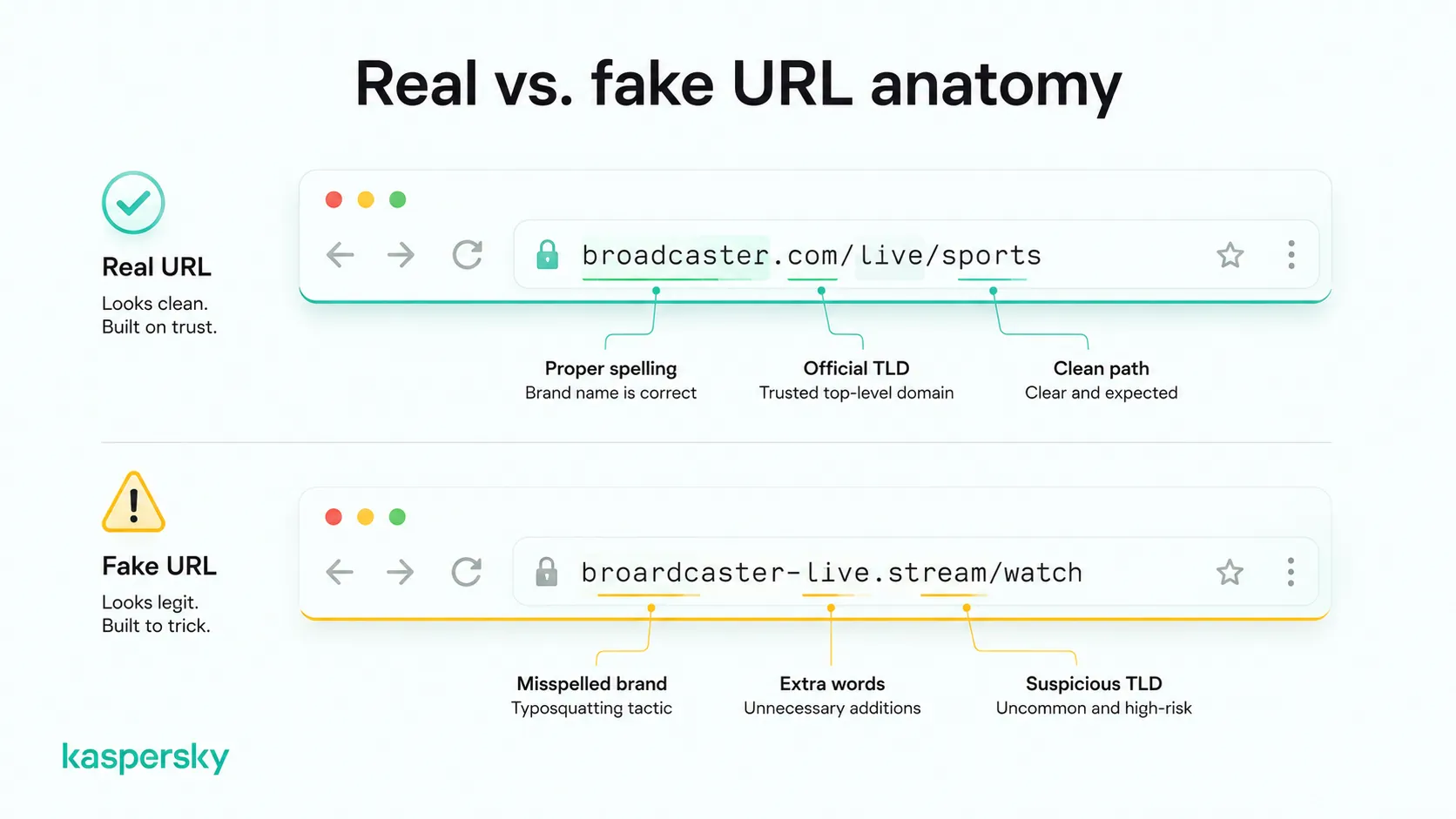
The web address can tell you more than the page design. Scammers register names that look almost right, hoping that you’re in too much of a rush to check properly.
Common tricks include:
- Misspelled brand names, such as "fifaa", "fifia", or a broadcaster's name with a missing or swapped letter.
- Extra words in addition to a real brand, like "fifa-worldcup-livehd.tv".
- Unusual endings (.stream, .live, .watch) in place of the official .com or a national broadcaster's domain.
This trick is called typosquatting, where a domain is built to catch people who mistype or skim. It’s always safer to type the broadcaster's address into the bar yourself, or use a saved bookmark, rather than clicking a link in an ad, social post, or search result, because it skips the lookalike entirely.
How do fake World Cup 2026 streaming sites work?
Fake streaming sites are built to make money from your visit, not to show football. Scammers use the promise of a free World Cup stream as bait in a confidence trick that can pay off in several different ways.
Pop-ups, redirects, and fake Play buttons
Click Play on a fake site and you may get a new tab instead of a video. Many of these pages run on malicious advertising, where each redirect and pop-up earns the operator a small payment.
Fake Play buttons are a common trick. The visible button can sit on top of an ad or open a fresh scam page, so the action you expected is different from the action you get. The loop can repeat for several clicks.
Fake virus alerts and software updates
Some sites show a message claiming your device is infected with a virus or that a plugin is out of date. The warning is part of the page, not your security software, and it’s usually a push to install something that turns out to be malware.
A fake video player, browser extension, or "critical update" can carry programs that log what you type, show more ads, or open a path for an attacker. This kind of software can be hard to spot once installed and difficult to remove, so don’t install anything a streaming page tells you to.
Fake login pages and account theft
A fake site may ask you to sign in with an existing account, claiming this verifies you or unlocks the stream. The form may copy a broadcaster’s or streaming service’s real page closely so it looks genuine.
This is phishing. Anything you type goes to the scammer rather than the service, which is how credential theft works. If you reuse that password elsewhere, one fake login can expose several accounts, turning a single slip into a wider problem. Stolen logins are also sold and used for account takeover and, in some cases, identity theft.
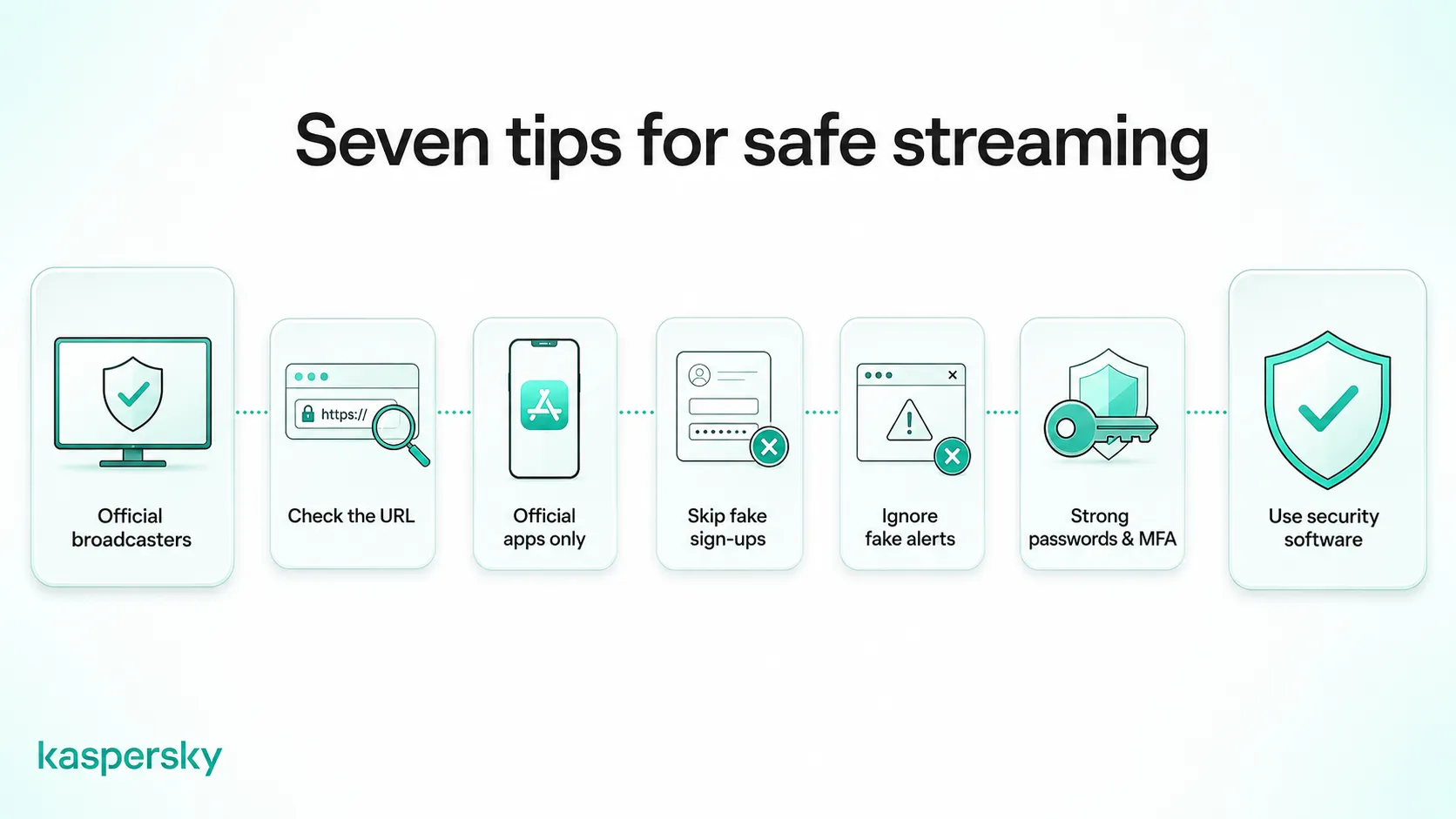
7 ways to avoid fake FIFA World Cup streaming scams
To watch the World Cup safely, there are a few simple habits that require no technical skill to implement.
Use official broadcasters and streaming services
Streaming and TV rights to the World Cup are sold country by country and change each tournament, so find out who holds them where you live. Search the tournament plus your country, or check FIFA’s published list of official broadcast partners by territory.
Often it’s a service you already pay for, since the major sports broadcaster in a country tends to carry football. Official services may be paid or free, but they are far less likely to expose you to malware and phishing risks.
Check the web address before you trust the page
Type the broadcaster’s address yourself or use a saved bookmark, and check the brand name is spelled correctly with no odd ending like .stream or .live.
Only install official apps, and nothing a stream tells you to
Install broadcaster apps only from the App Store or Google Play, and check the developer name and review count before you do. Ignore any "install to watch" prompt a streaming page shows you, and close it if it appears in a mobile browser.
Don't create an account to watch a "free" match
A legitimate broadcaster won't make you register on an unfamiliar page to watch. If a "free" stream demands a new email and password before it unlocks, close it.
Ignore virus warnings and urgent pop-ups
A web page can’t scan your device, so any "you’re infected" alert is a scare tactic. Close the tab without clicking it.
Use strong passwords, MFA, and passkeys
Strong, unique passwords limit the damage if one account is ever exposed. Multi-factor authentication and passkeys add a second barrier, so a stolen password on its own is often not enough for someone to get in.
Use security software to block malicious websites
Reputable security software like Kaspersky can block known malicious and fake sites before they load and can catch malware in a download you didn’t mean to start. It works alongside the habits above rather than replacing them.
Block fake streaming sites before they load
Kaspersky Premium blocks dangerous and fake websites before they open, scans your downloads for malware in real time, and keeps your passwords behind one secure login.
Try Premium for freeWhat should you do if you clicked on a fake World Cup streaming site?
Visiting a page is different from entering a password or installing a file, so what to do next depends on what actions you took on the site.
If you only visited the website
Close the tab or window right away, and do not click any pop-up, including one that looks like it closes the warning. If a prompt asks to send you notifications, decline. If anything still seems off, run a security scan. A single visit where you did not interact with the site usually carries little risk.
If you entered information or downloaded something
Start by changing the password for any account you typed in, and if it's one you have used elsewhere, change it on those sites too. Then turn on multi-factor authentication on important site like banking and email, so a stolen password is not enough on its own to access your accounts.
Run a full security scan to find and remove anything that was installed. Keep an eye on those accounts, and any cards linked to them, for charges or logins you do not recognize. By taking quick action you can limit how far the problem spreads.
Related Articles:
- How to spot fake login pages and protect your accounts?
- How can you recognize scam websites effectively?
- What are the best phishing prevention tips to protect yourself?
- What are the dangers of Scareware in online streaming?
Related Products:
FAQs
Are free FIFA World Cup streams safe?
Free streams from official broadcasters are usually safe. The risky ones are the sites you reach through ads, pop-ups, or random search results, many of which exist to deliver malware or phishing rather than football.
Can fake streaming sites install malware?
Yes. Fake streaming sites often try to install malware through fake video players, browser extensions, or "updates" you are told to download. Some also use pop-ups and fake virus alerts to push the same files, so decline downloads from these sites.
How can I tell if a World Cup streaming website is legitimate?
Check the web address for misspellings or odd endings and confirm it belongs to a broadcaster that holds the rights where you live. Legitimate services usually play matches without forcing downloads, surprise payments, or new accounts, and they do not bombard you with pop-ups.
Why do fake streaming sites ask users to create an account?
They often ask for an account to collect your email and password, which can then be sold or used to break into other services. The "registration" probably won’t unlock a real stream, and reusing a password there can put your other accounts at risk.